

Translate Word (.docx) From Arabic to Spanish
Upload a Word (.docx) file in Arabic and download the same file in Spanish. This page sets out exactly what “the same file” means for this format, this source language and this target — including what still does not work.
What Survives When You Translate Word (.docx)
- Styles, numbering and list levels are edited in place, so a heading stays a heading and an auto-numbered clause keeps its number.
- Images, charts and text boxes keep their anchors. Nothing is re-flowed into a fresh document.
- Headers, footers, footnotes and table cells are translated as part of the same document instead of being skipped.
- Inline formatting survives the run boundaries Word splits sentences into, so bold stays on the words that were bold.
Producing Spanish
Spanish is available in every format we support, Word (.docx) included. Latin, Cyrillic and Greek targets are not limited by the output format, because the fonts our overlay ships already render them.
Which Languages Each Format SupportsReading Arabic
Arabic is written in Arabic script and reads right-to-left. Reading it is settled; drawing it is not, which is why Arabic is offered as a target for Word, Excel, PowerPoint and the text formats and not yet for PDF or image output.
See It on a Real Document
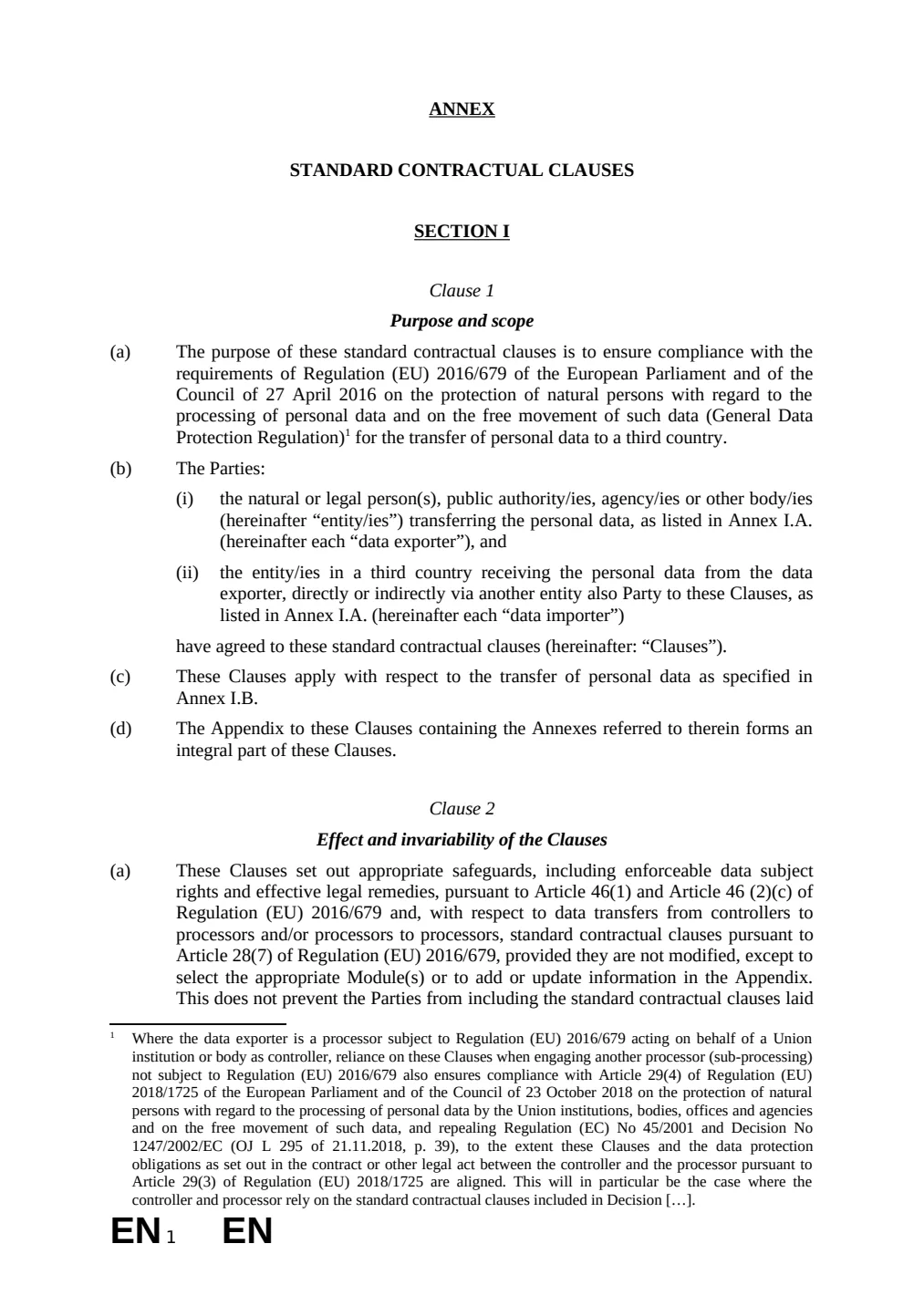
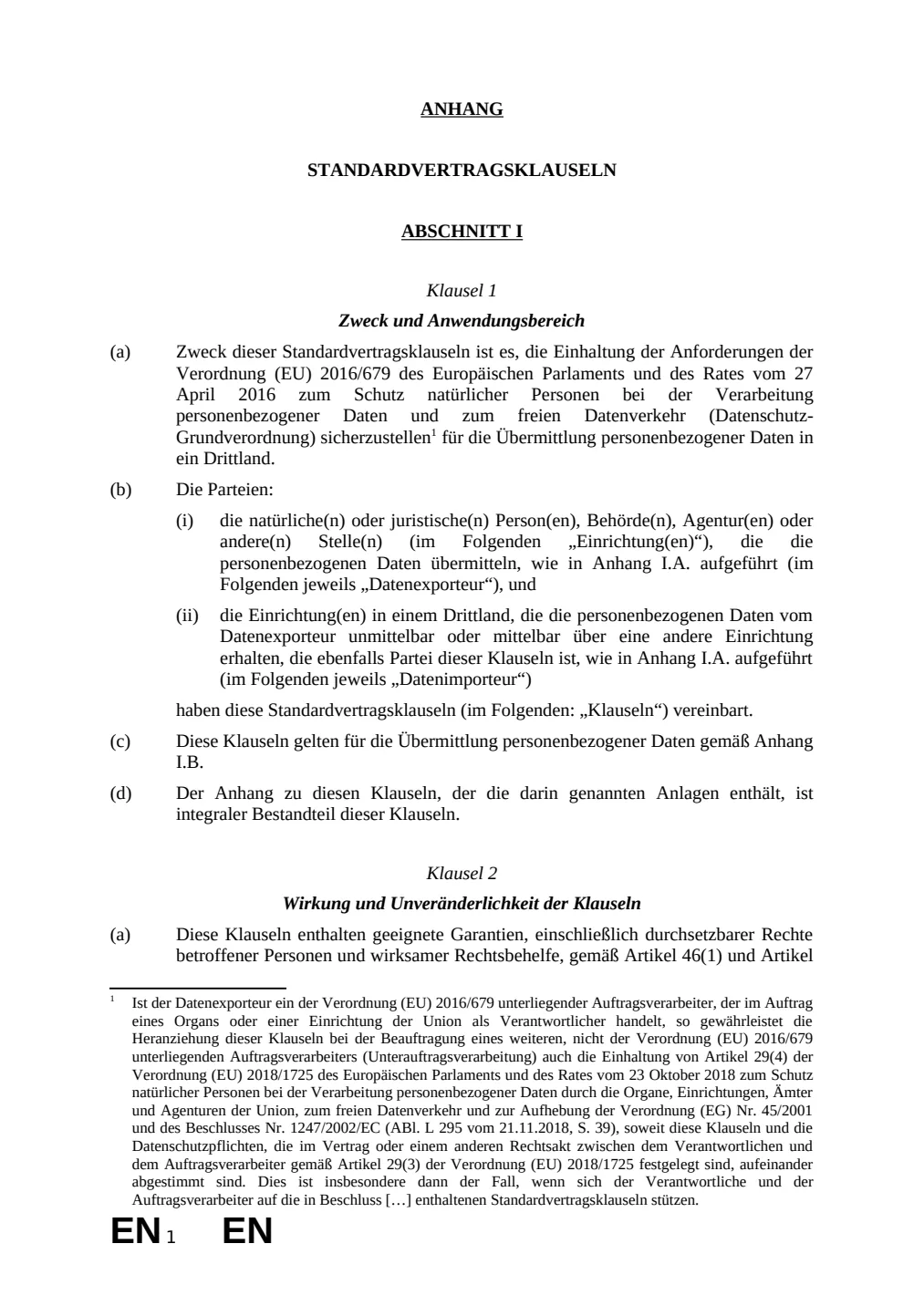
The before and after below is a real Word (.docx) file this engine translated, English to German — the same format as this page, a different language pair. The examples page has the files themselves.
What This Does Not Do
- Translated text is often longer than the source. In a fixed-height text box or a one-page form that can move a line onto the next page — the document stays valid, the pagination can shift.
- Anything the verify stage cannot confirm falls back to the source text, visible and untranslated. A file that looks finished but is not is the one outcome we will not ship.
Questions
- Is the translated Word (.docx) still a working file?
- Styles, numbering and list levels are edited in place, so a heading stays a heading and an auto-numbered clause keeps its number.
- Can you produce Spanish in Word (.docx)?
- Spanish is available in every format we support, Word (.docx) included. Latin, Cyrillic and Greek targets are not limited by the output format, because the fonts our overlay ships already render them.
- How do you read Arabic input?
- Arabic is written in Arabic script and reads right-to-left. Reading it is settled; drawing it is not, which is why Arabic is offered as a target for Word, Excel, PowerPoint and the text formats and not yet for PDF or image output.
- What happens to my file afterwards?
- Uploaded and generated files are automatically deleted within 24 hours, and are never used to train a model.
Try It on Your Own File
No card and no per-file character minimum. If a segment cannot be translated confidently you will see it fall back, rather than a green tick over a guess.