

Translate Word (.docx) and Keep the Layout
Text is replaced where it already sits rather than re-flowed into a new document, so pages, columns, tables and images stay where the author put them.
What Survives When You Translate Word (.docx)
- Styles, numbering and list levels are edited in place, so a heading stays a heading and an auto-numbered clause keeps its number.
- Images, charts and text boxes keep their anchors. Nothing is re-flowed into a fresh document.
- Headers, footers, footnotes and table cells are translated as part of the same document instead of being skipped.
- Inline formatting survives the run boundaries Word splits sentences into, so bold stays on the words that were bold.
See It on a Real Document
The before and after below is a real Word (.docx) file this engine translated (English to German). The examples page has the files themselves.
Source documentStandard Contractual Clauses
Page
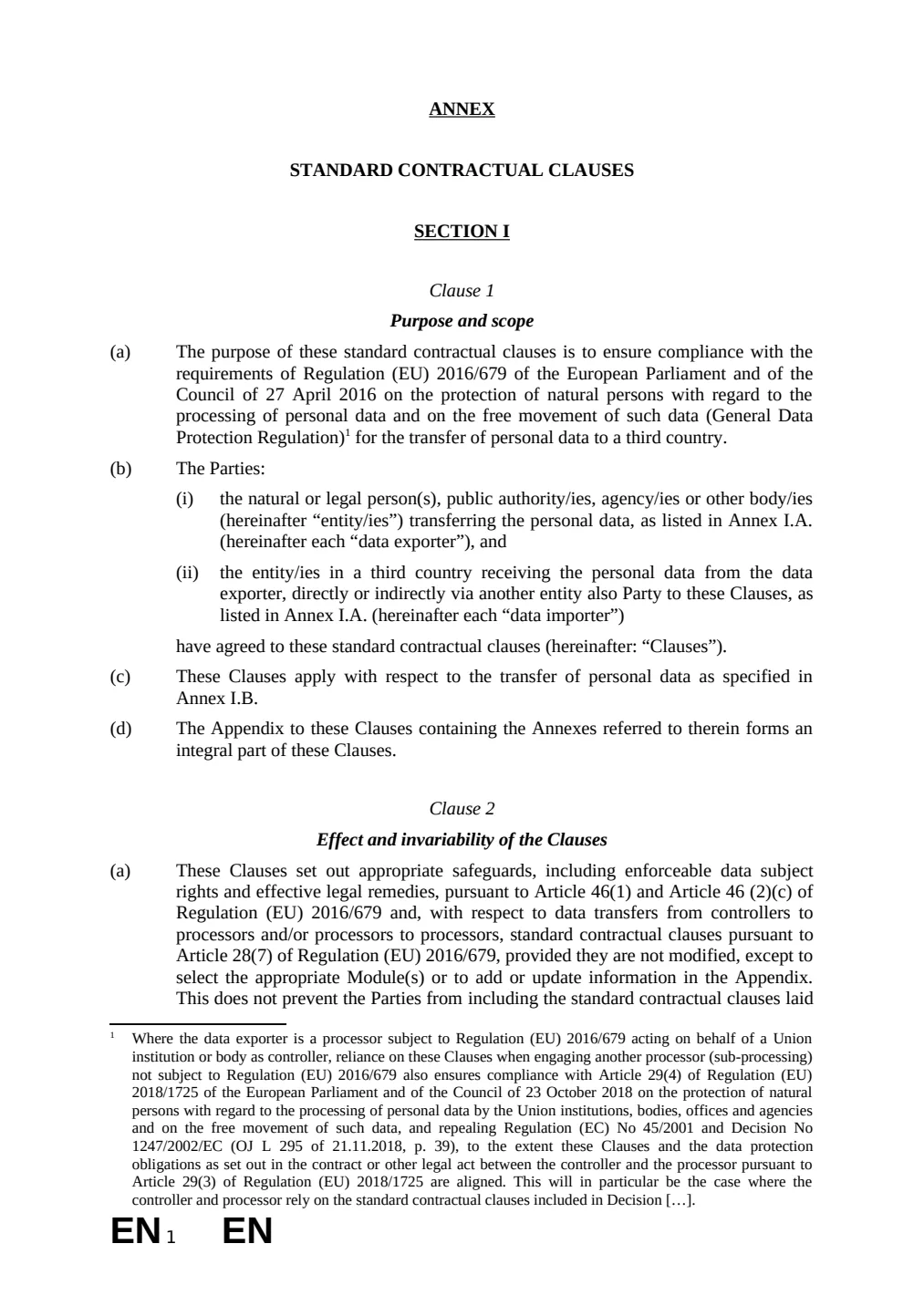
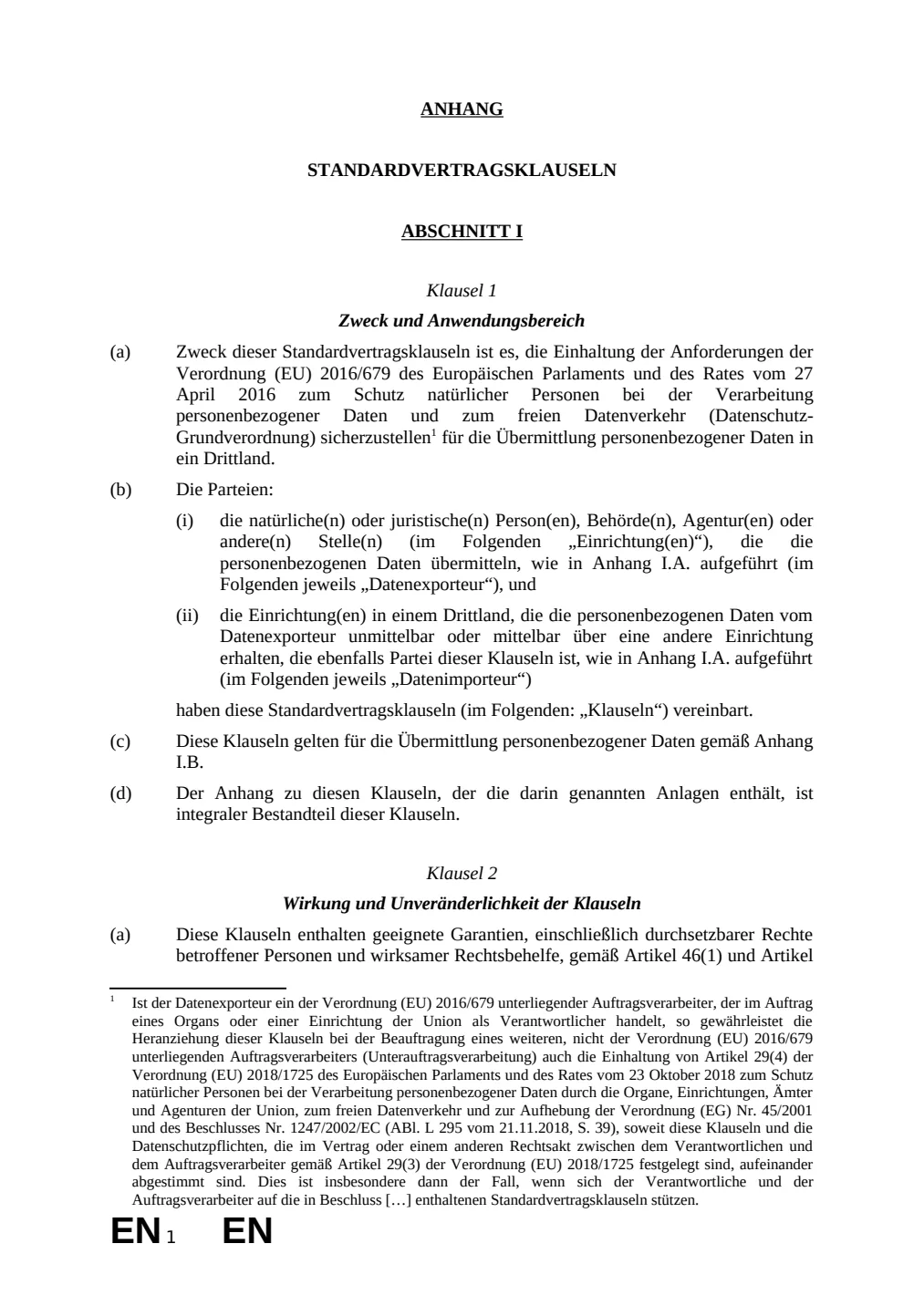
Original · ENTranslated · DE
Source: standard contractual clauses annex published by the European Commission. Translated by Lingivio, English to German, no manual clean-up.
What This Does Not Do
- Translated text is often longer than the source. In a fixed-height text box or a one-page form that can move a line onto the next page — the document stays valid, the pagination can shift.
- Anything the verify stage cannot confirm falls back to the source text, visible and untranslated. A file that looks finished but is not is the one outcome we will not ship.
Questions
- Do the Layout Survive Translating a Word (.docx)?
- Text is replaced where it already sits rather than re-flowed into a new document, so pages, columns, tables and images stay where the author put them.
- What happens to my file afterwards?
- Uploaded and generated files are automatically deleted within 24 hours, and are never used to train a model.
Try It on Your Own File
No card and no per-file character minimum. If a segment cannot be translated confidently you will see it fall back, rather than a green tick over a guess.