

Translate Word Documents Without Rebuilding the Formatting
Upload a DOCX file and receive a translated Word document with its supported structure preserved. Keep working in Word instead of copying translated text back into the file.
What Stays Intact
- Paragraph and character styles
- Tables and page structure
- Headers and footers
- Numbers, codes, URLs, and email addresses
- The original DOCX output format
What Survives When You Translate Word (.docx)
- Styles, numbering and list levels are edited in place, so a heading stays a heading and an auto-numbered clause keeps its number.
- Images, charts and text boxes keep their anchors. Nothing is re-flowed into a fresh document.
- Headers, footers, footnotes and table cells are translated as part of the same document instead of being skipped.
- Inline formatting survives the run boundaries Word splits sentences into, so bold stays on the words that were bold.
How It Works
- 1.
Upload Your DOCX File
Lingivio checks the document, detects its source language, and calculates the exact credit cost.
- 2.
Choose the Target Language
Select from the target languages supported for Word output and approve the displayed cost.
- 3.
Download the Translated Word Document
Open the completed DOCX file in Word and review the translated content in its original structure.
Plans and Credit Cost
Word translation is available on the Free plan. A Word document uses 1 credit per displayed page, with a minimum charge of 1 credit per file.
Compare PlansSee It on a Real Document
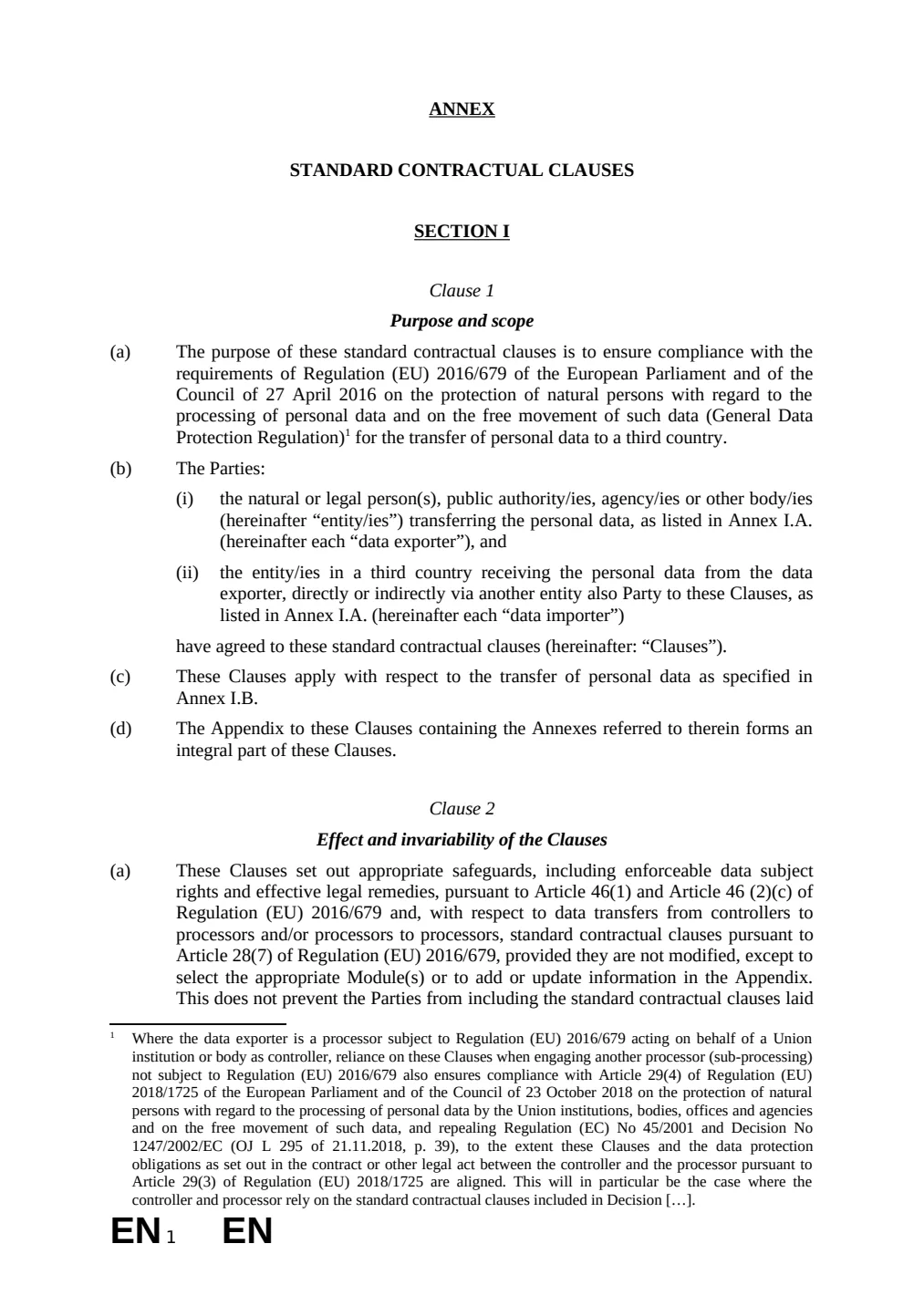
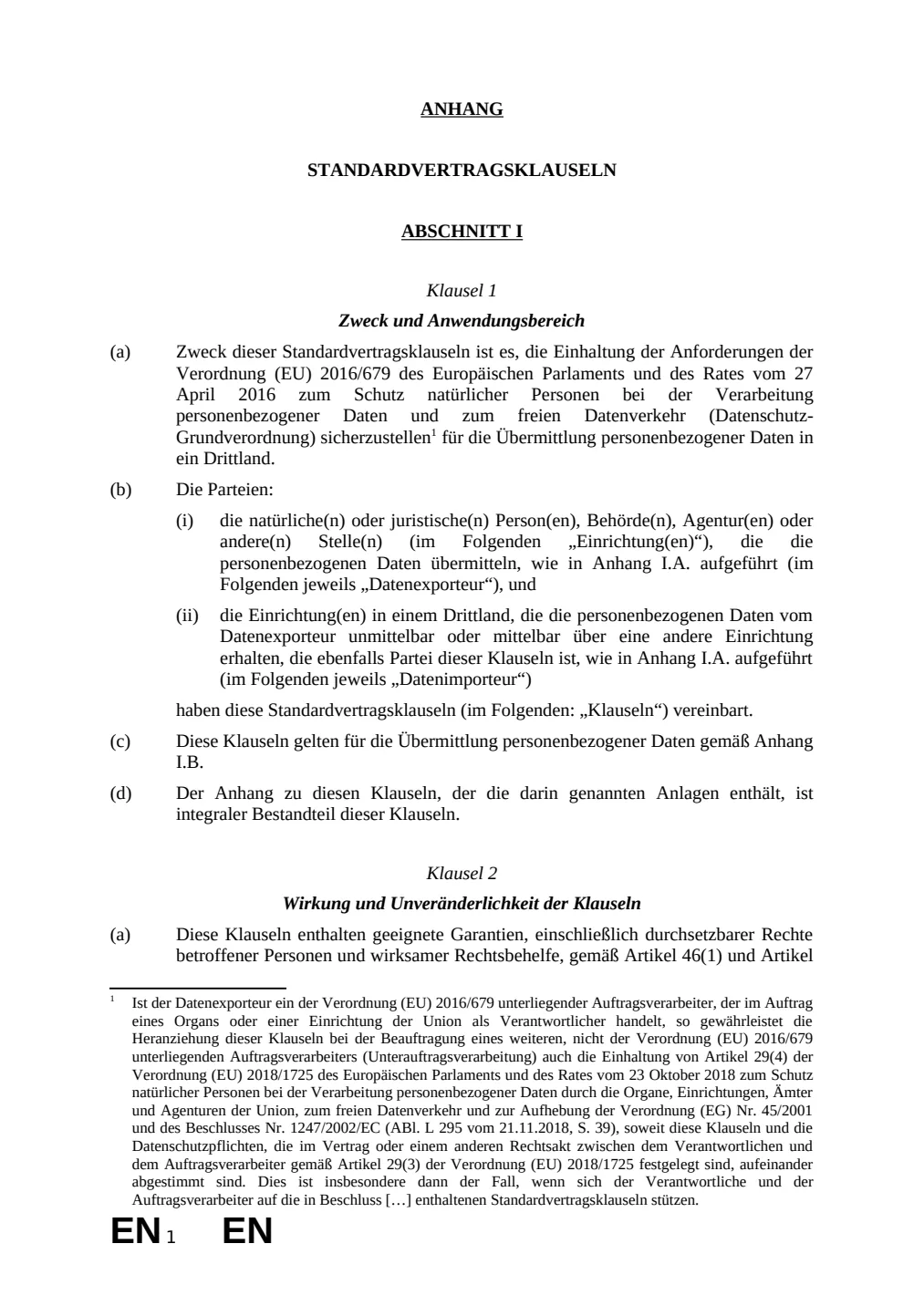
The before and after below is a real Word (.docx) file this engine translated (English to German). The examples page has the files themselves.
What This Does Not Do
- Translated text is often longer than the source. In a fixed-height text box or a one-page form that can move a line onto the next page — the document stays valid, the pagination can shift.
- Anything the verify stage cannot confirm falls back to the source text, visible and untranslated. A file that looks finished but is not is the one outcome we will not ship.
Questions
- Does Lingivio convert my Word document into another format?
- No. A DOCX file is returned as a translated DOCX file.
- Can Lingivio translate headers, footers, and tables?
- Yes. Supported document text is translated while headers, footers, tables, and styles remain part of the Word file.
- Which languages are available for Word?
- Word output currently supports all 25 target languages offered by Lingivio.
- Is the translation human-reviewed?
- No. Lingivio provides machine translation. Important content should be reviewed by a qualified person before use.
- What happens to my file afterwards?
- Uploaded and generated files are automatically deleted within 24 hours, and are never used to train a model.
Translate Word Documents Without Rebuilding the Formatting
Upload your file to see the supported languages and exact credit cost before translation begins.
Free credits every month · no card required