

Getting Started
A plain guide to translating a document, written for someone who has never used the product. Start at the top and follow the pictures.
What It Does
You upload a document, choose the language you want it in, and download the same document with the words translated. Same pages, same tables, same pictures, same numbers — different language.
It works on files you upload. It does not translate web pages while you browse.
What "Keeps Your Layout" Means
Most translation tools pull the words out of your file and hand you back plain text. Rebuilding the document is then your problem, and that is where formulas, page breaks and tables get lost. This works the other way round: the text inside the file is replaced and everything else is left exactly where it was.
- A spreadsheet comes back with its formulas still calculating.
- A PDF comes back looking like the original, not like a wall of text.
- A slide deck keeps its pictures, charts, masters and slide order.
- Numbers, prices, product codes, web addresses and email addresses are never sent to be translated, and come back unchanged.
- You get back the same kind of file you uploaded — a Word file stays a Word file.
See It on a Real Document
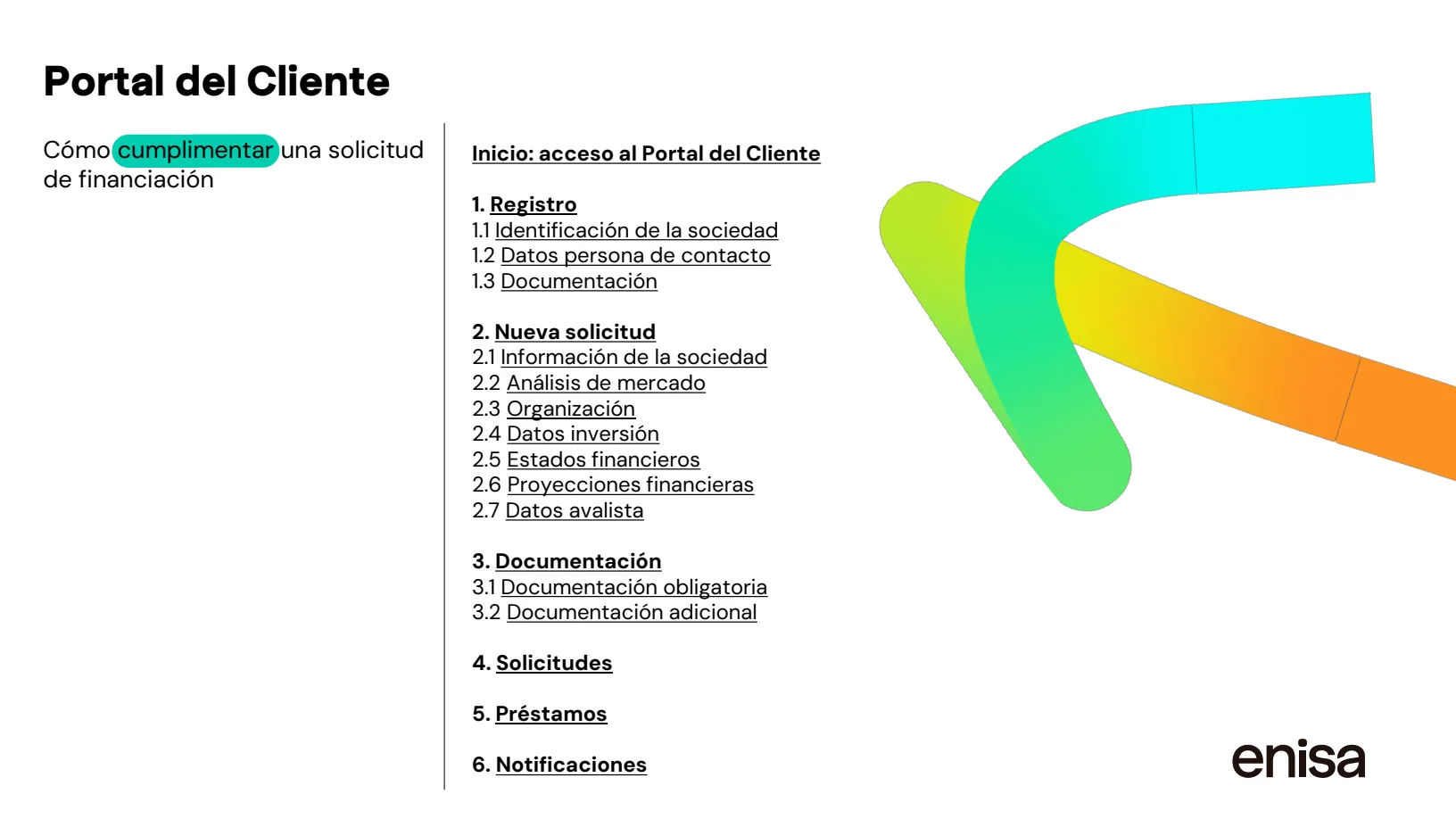
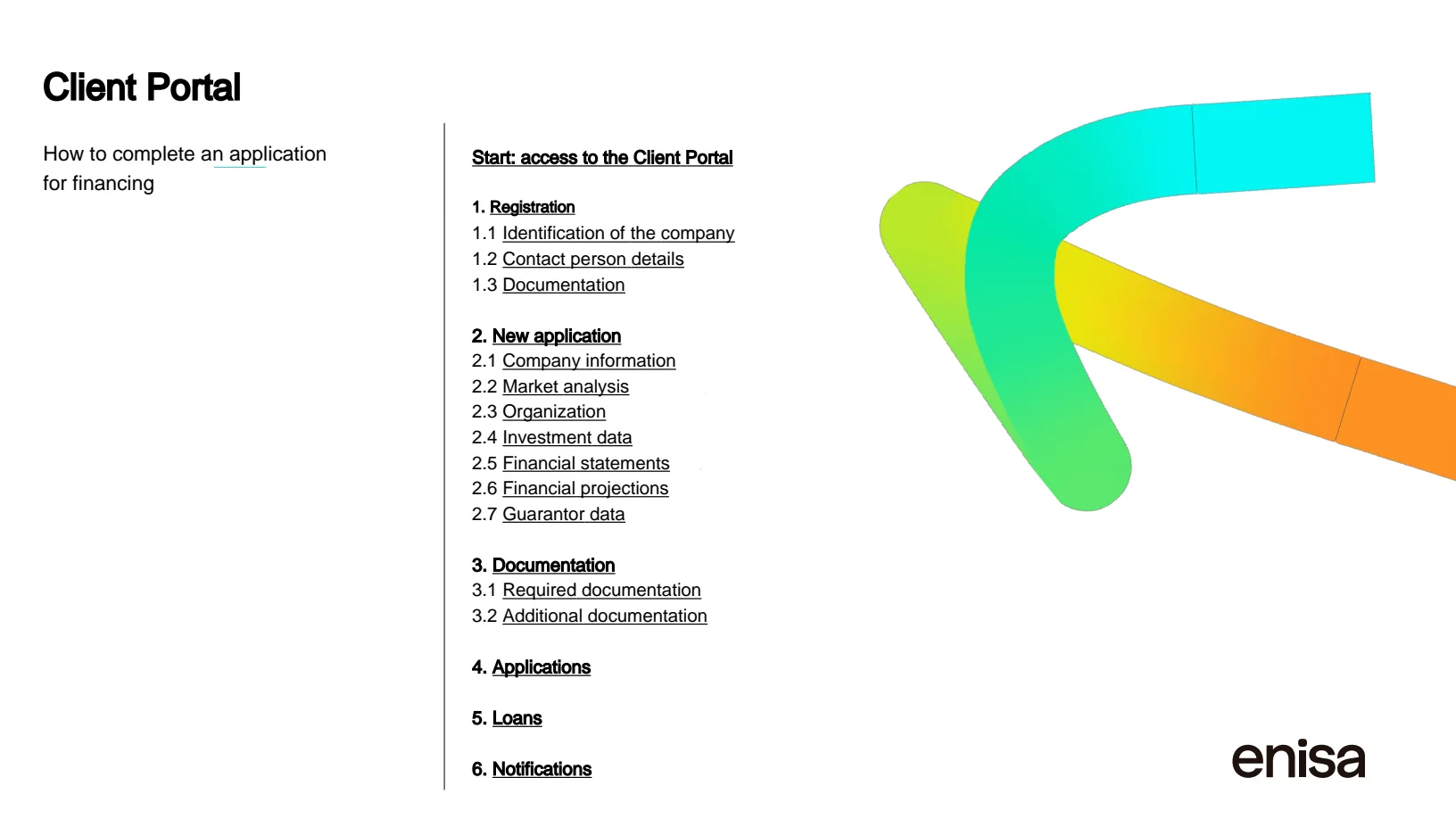
Drag the divider. The left side is a page of a real public report; the right side is the same page after translating. Both halves are real renders of real files.
What It Is Not
It is machine translation. No human translator reads the result, and there is no review step to order. Treat what you download as a strong draft you check.
It is not a certified or sworn translation. If an authority demands one, you need a sworn translator — this can give them a clean file to work from.
We do not publish an accuracy score and will not claim one. What we can promise is about the file, not about the prose: the structure, the numbers and the codes come back intact, or the job stops and tells you.