

Translate Excel (.xlsx) From Portuguese to German
Upload a Excel (.xlsx) file in Portuguese and download the same file in German. This page sets out exactly what “the same file” means for this format, this source language and this target — including what still does not work.
What Survives When You Translate Excel (.xlsx)
- Formulas never reach the model and are never rewritten: =SUM(B2:B40) comes back byte for byte, still calculating against the same cells.
- Numbers, currency codes and cell number formats are copied through verbatim, and a verify stage rejects a translated segment whose digits do not match the source. Dates keep their digits; month names are translated.
- Sheet names, merged ranges, column widths, conditional formatting and defined names are untouched. Only text nodes are replaced.
- A cell holding two languages can be handled three ways: replace everything, replace one language, or append the translation beneath the original.
Producing German
German is available in every format we support, Excel (.xlsx) included. Latin, Cyrillic and Greek targets are not limited by the output format, because the fonts our overlay ships already render them.
Which Languages Each Format SupportsReading Portuguese
Portuguese is written in the Latin alphabet, which every extraction path here reads without a special case: a born-digital file gives up its text layer directly.
See It on a Real Document
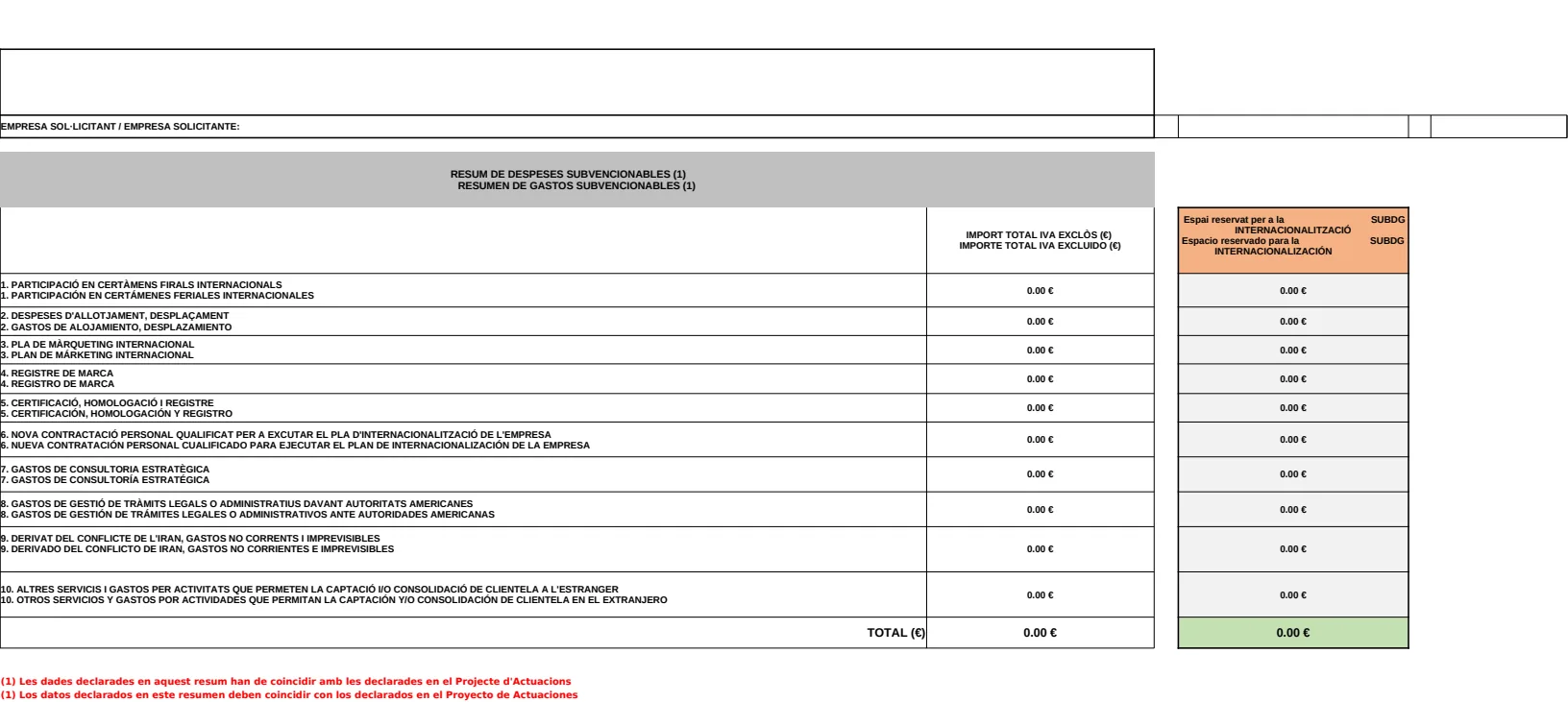
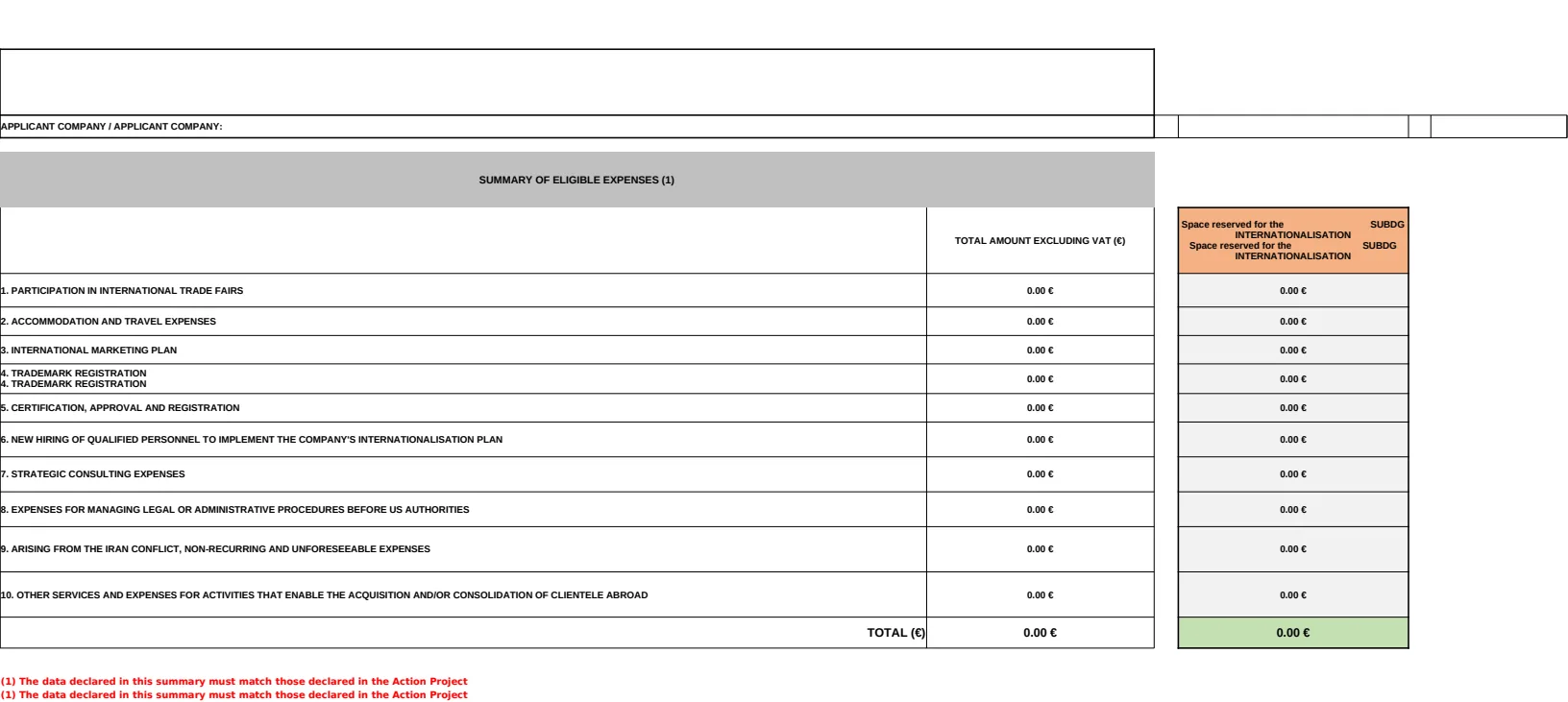
The before and after below is a real Excel (.xlsx) file this engine translated, Spanish to English — the same format as this page, a different language pair. The examples page has the files themselves.
What This Does Not Do
- Text baked into a chart image or a picture pasted onto a sheet is a picture, not a cell, and is left as it is.
- Anything the verify stage cannot confirm falls back to the source text, visible and untranslated. A file that looks finished but is not is the one outcome we will not ship.
Questions
- Is the translated Excel (.xlsx) still a working file?
- Formulas never reach the model and are never rewritten: =SUM(B2:B40) comes back byte for byte, still calculating against the same cells.
- Can you produce German in Excel (.xlsx)?
- German is available in every format we support, Excel (.xlsx) included. Latin, Cyrillic and Greek targets are not limited by the output format, because the fonts our overlay ships already render them.
- How do you read Portuguese input?
- Portuguese is written in the Latin alphabet, which every extraction path here reads without a special case: a born-digital file gives up its text layer directly.
- What happens to my file afterwards?
- Uploaded and generated files are automatically deleted within 24 hours, and are never used to train a model.
Try It on Your Own File
No card and no per-file character minimum. If a segment cannot be translated confidently you will see it fall back, rather than a green tick over a guess.